 Fuel Smart
The smarter way to refuel.
Locate the best fuel prices near you and navigate efficiently with our community-driven platform.
Fuel Smart
Locate the best fuel prices near you and navigate efficiently with our community-driven platform.
Fuel Smart brings clarity to the fuel search experience by combining location-aware mapping, verified station details, and community price updates in one clean interface.
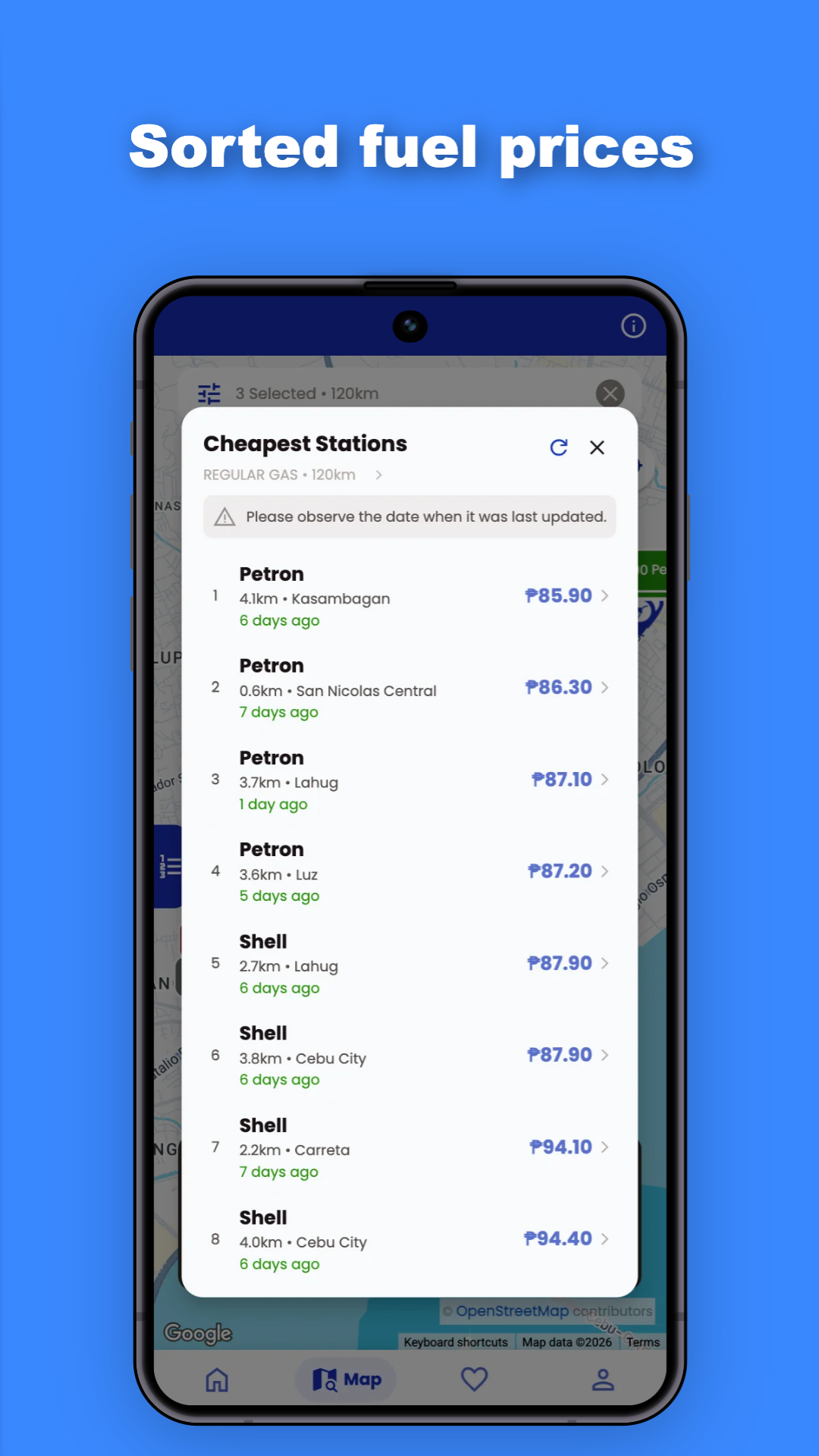
Our platform is built for drivers who want more than a static station list. It guides you to the cheapest nearby fuel stations, highlights fresh price updates, and makes it easy to compare brands, fuel types, and route convenience.
We keep the service simple and transparent: use the map to find stations, filter by fuel type or brand, and submit price updates only when you are near the station for accuracy.
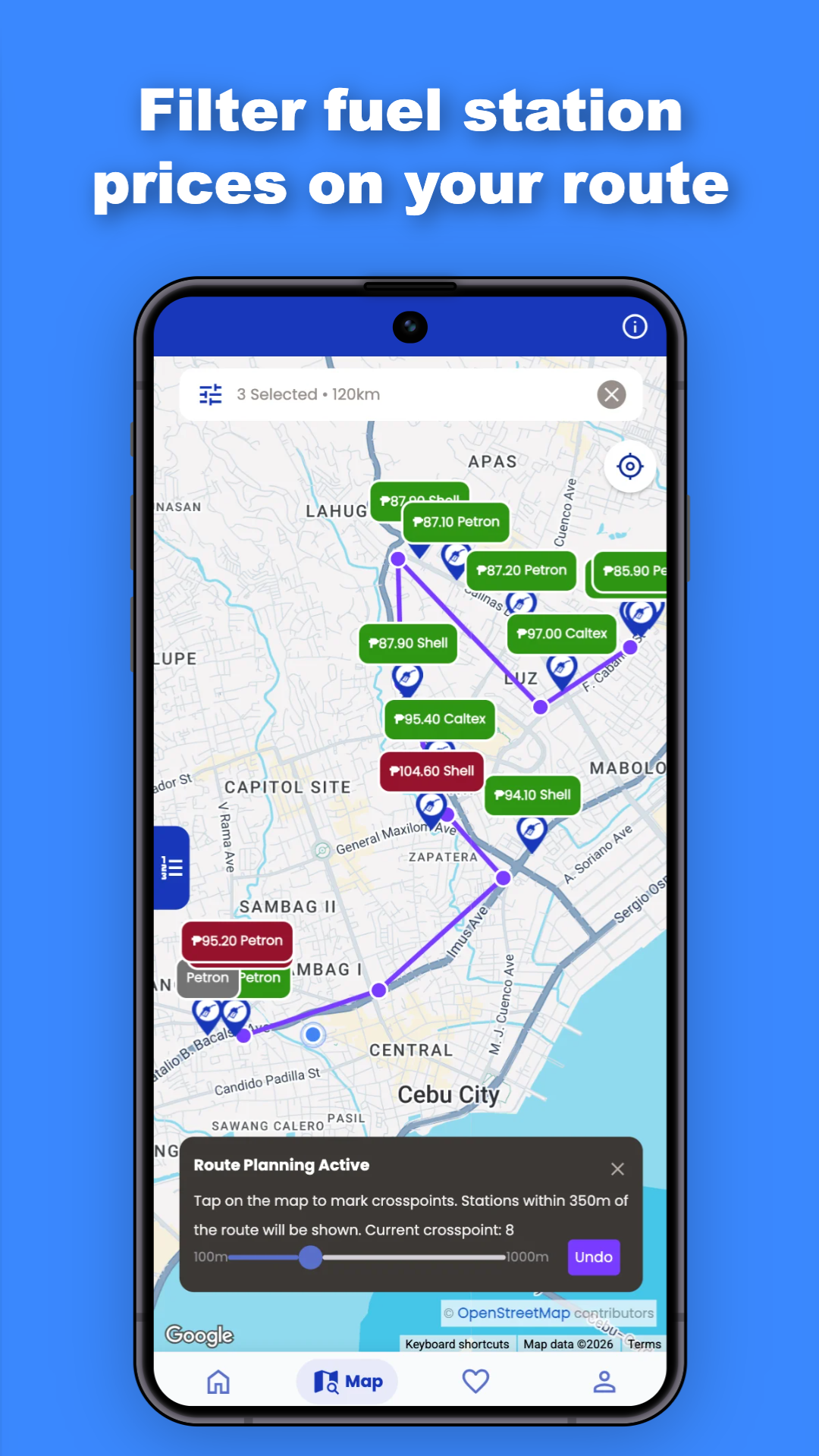
Identify the lowest price stations along your commute and plan refueling stops without taking longer detours.
Review station availability, fuel types, and expected costs before starting a long drive so you stay on budget.
Use the app to verify local fuel prices before you arrive, reducing surprises and helping you choose the best station.
Contribute by reporting prices and discrepancies, and rely on fresh user updates from nearby drivers and station owners.
Fuel Smart is designed to give drivers more confidence at the pump by turning local fuel pricing into clear, usable information. Instead of guessing or relying on outdated station lists, you get a real-time view of nearby prices and fuel availability backed by community reports.
The app is useful for daily commuters, weekend travelers, and anyone who wants to save money by finding the lowest local fuel prices.
Key benefits include:
Fuel Smart does not use your personal data for advertising without your permission. We only use location access to show the best nearby stations and support a better navigation experience. Learn more in our Privacy Policy.
Our priority is a complete, easy-to-use experience so visitors and drivers can trust the site as a helpful fuel savings resource.

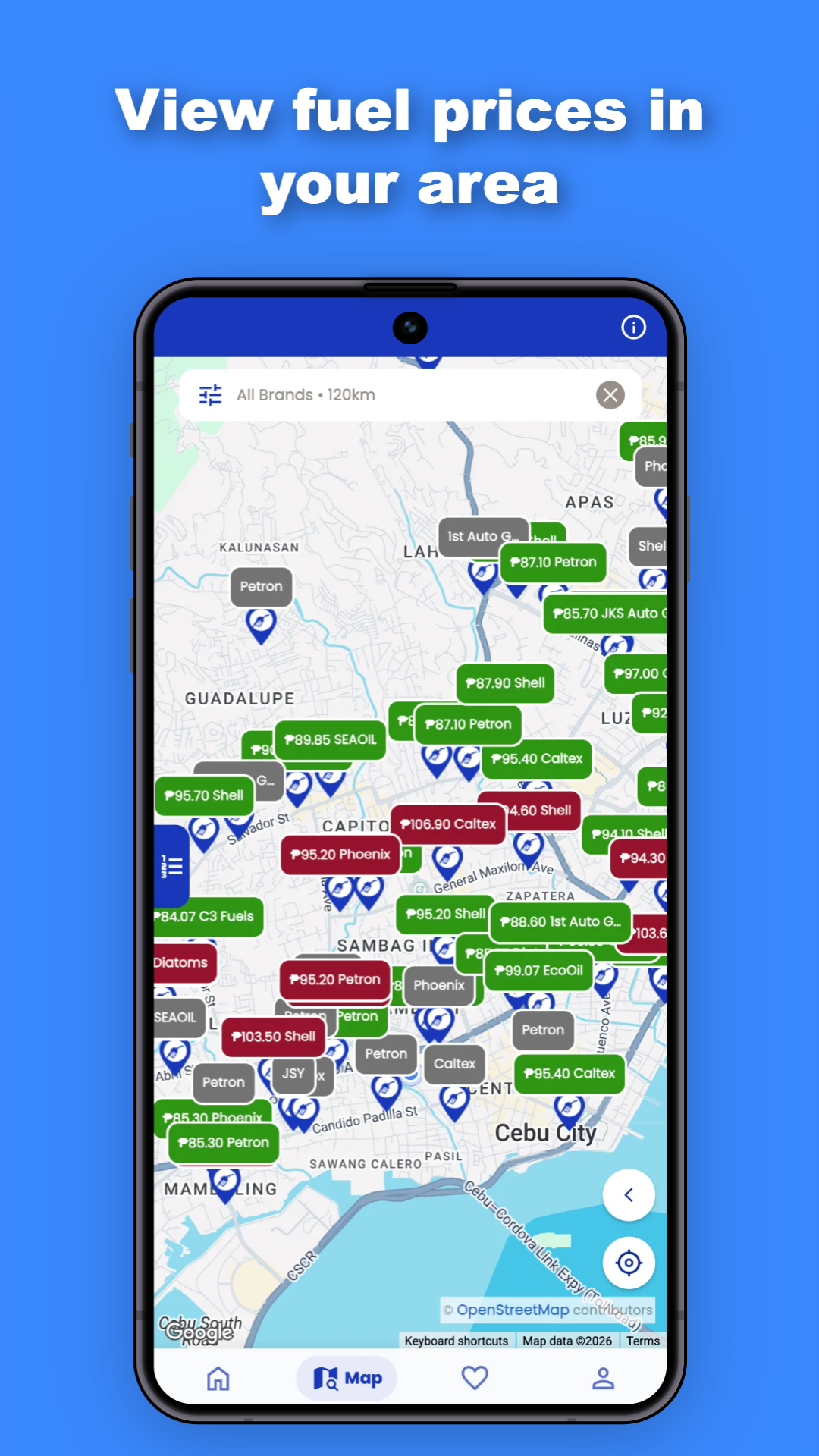
Log in securely and enable location access to see the most affordable fuel stations in your immediate area.
Pan across the map and filter by fuel brands, types, or set a maximum price to fit your budget.
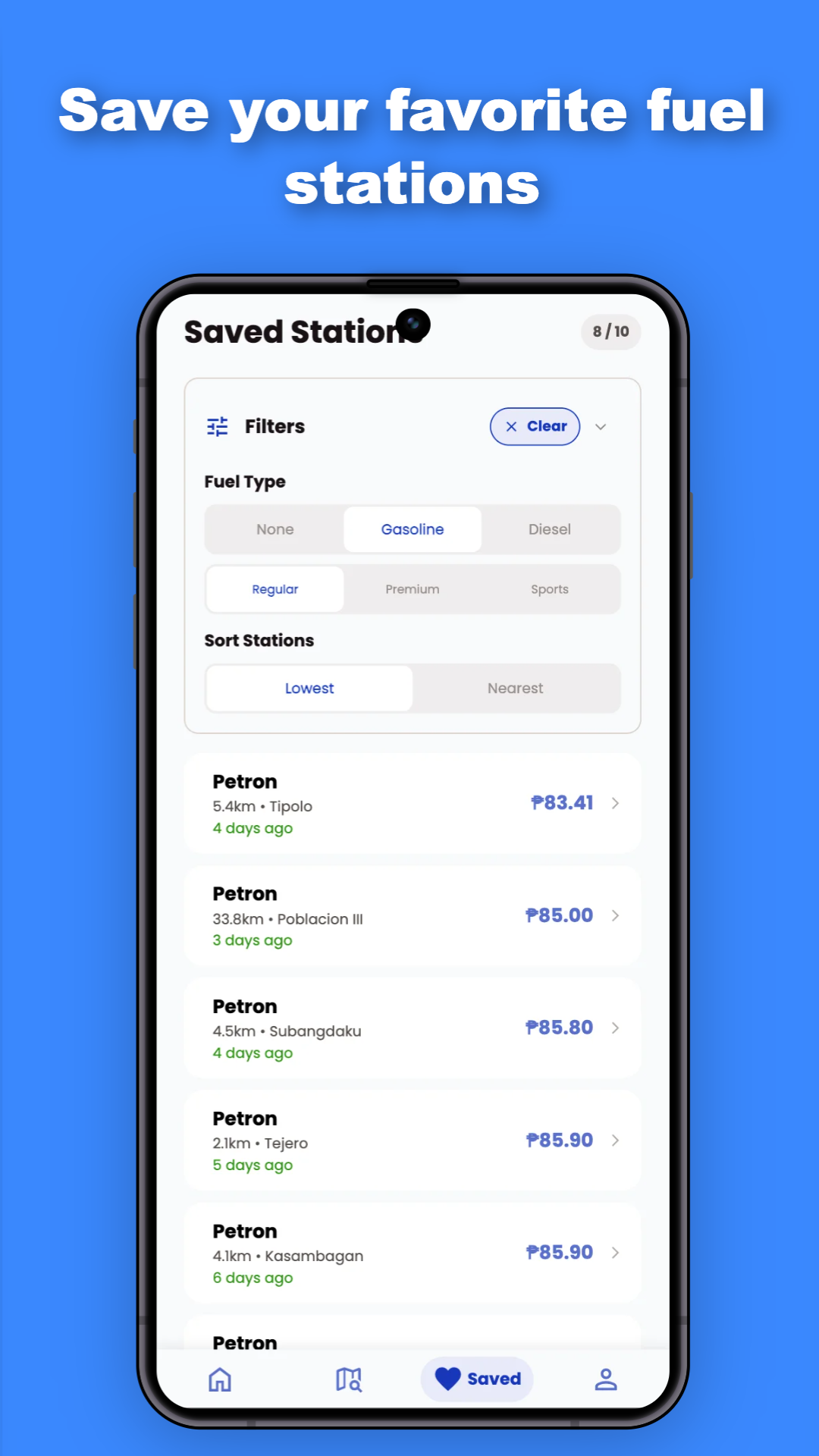
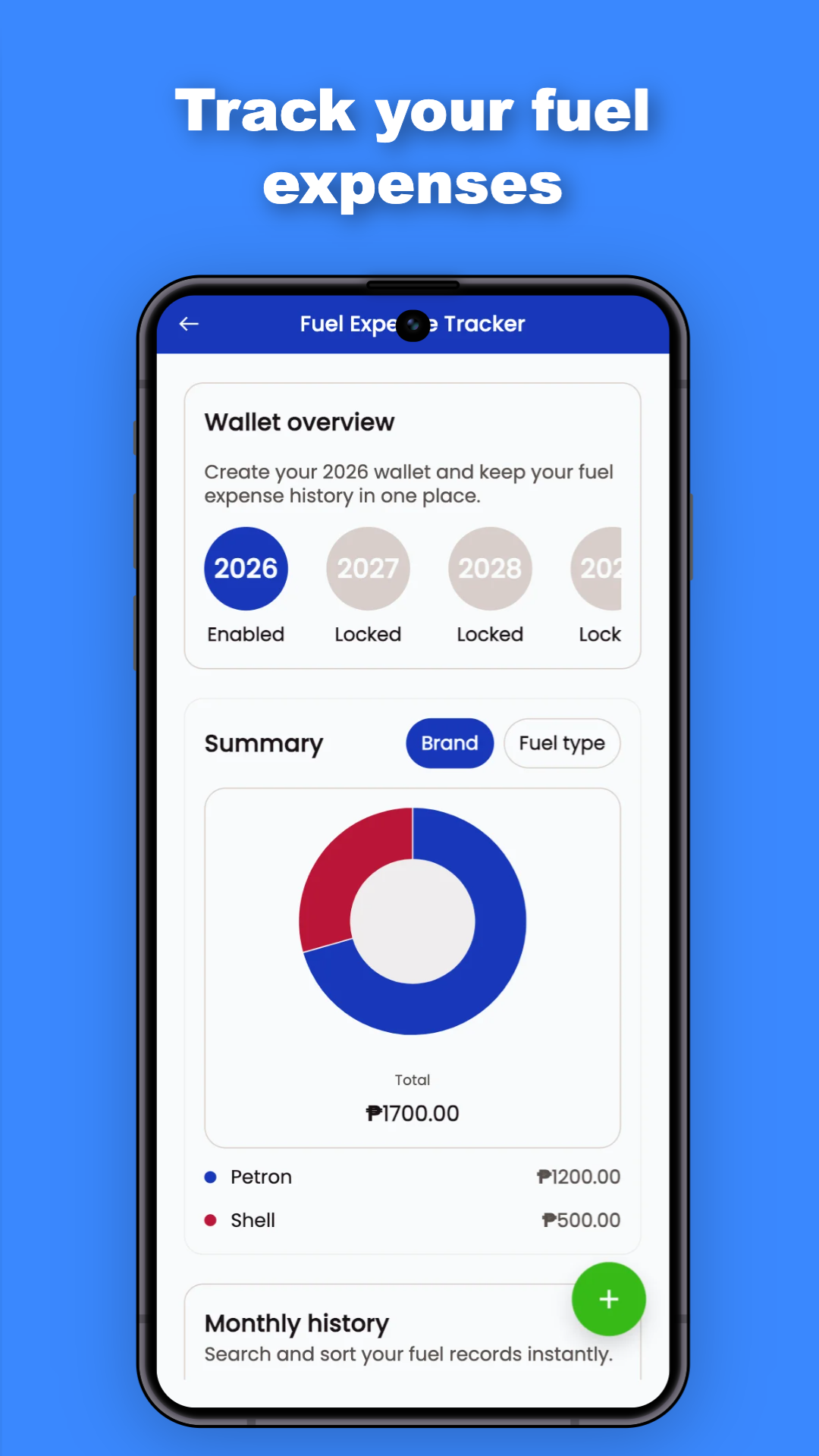
Update fuel prices in real-time, save favorite stations, and navigate directly to their location.
Pinpoint the most affordable fuel stations in your vicinity using real-time location data.
Contribute to accurate data by updating prices alongside thousands of other users.
Your data is used strictly for authentication and enhancing your personalized experience.
Start by opening the map and allowing location access. Fuel Smart will show the nearest stations first, with current price updates and fuel type labels.
Tap a station marker to view its details, price history, and options to update or report an issue. This keeps the data useful for everyone.
Use filter controls to limit results by brand, fuel grade, or maximum price so you can find the right station faster.
If you are near a station, submit the latest pump price to help keep the community database accurate. Verified updates are reflected quickly for other drivers.
The faster and more often users contribute, the better the local pricing accuracy becomes, helping the whole community save time and money.
The map displays nearby fuel stations, updated prices, fuel types, and station markers sourced from OpenStreetMap and verified user reports.
Blue markers are verified stations, yellow are pending verification, green are local services, and gray indicates stations without price information.
Use filters to switch between fuel types, search by brand, set a maximum price, and choose a search radius for more relevant results.
Tap the route icon to select a starting point and destination. The app will show the best path and highlight fuel stations along the route.
Tap any station marker to open its details card, then select Update Price. You should be near the station when submitting current rates.
Prices are crowdsourced and meant as a general guide. Report discrepancies directly through the app to help improve accuracy.
Yes. Fuel Smart relies on the community to submit real-time price updates, with verification checks to keep station pricing fresh and useful.